
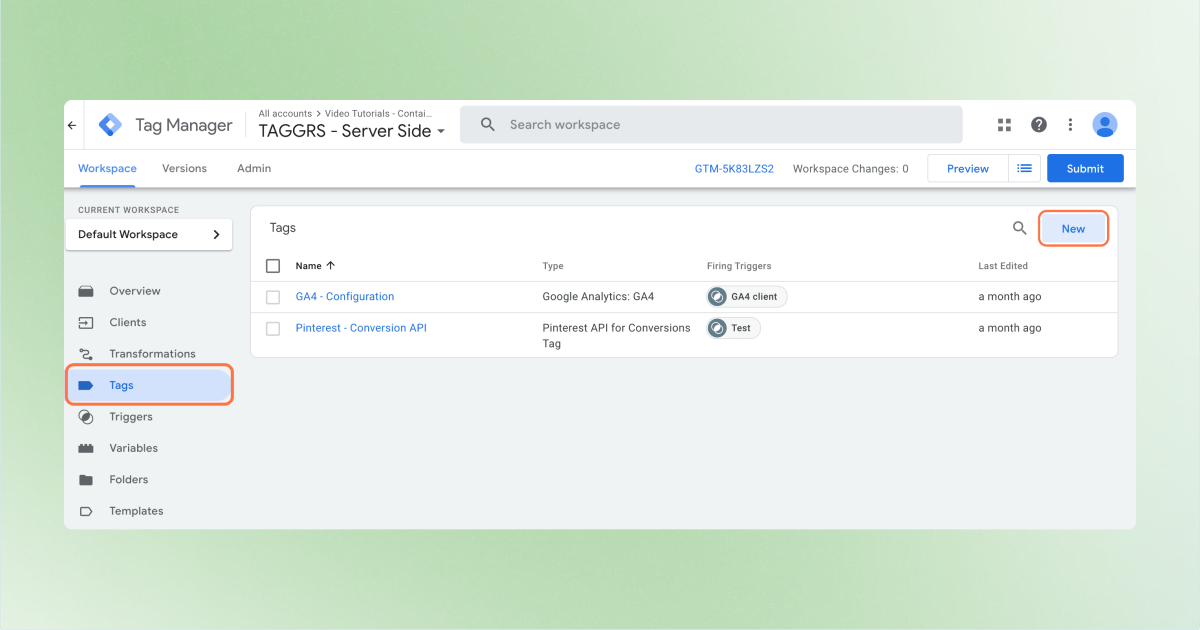
1. In your sGTM container, go to Tags → New.
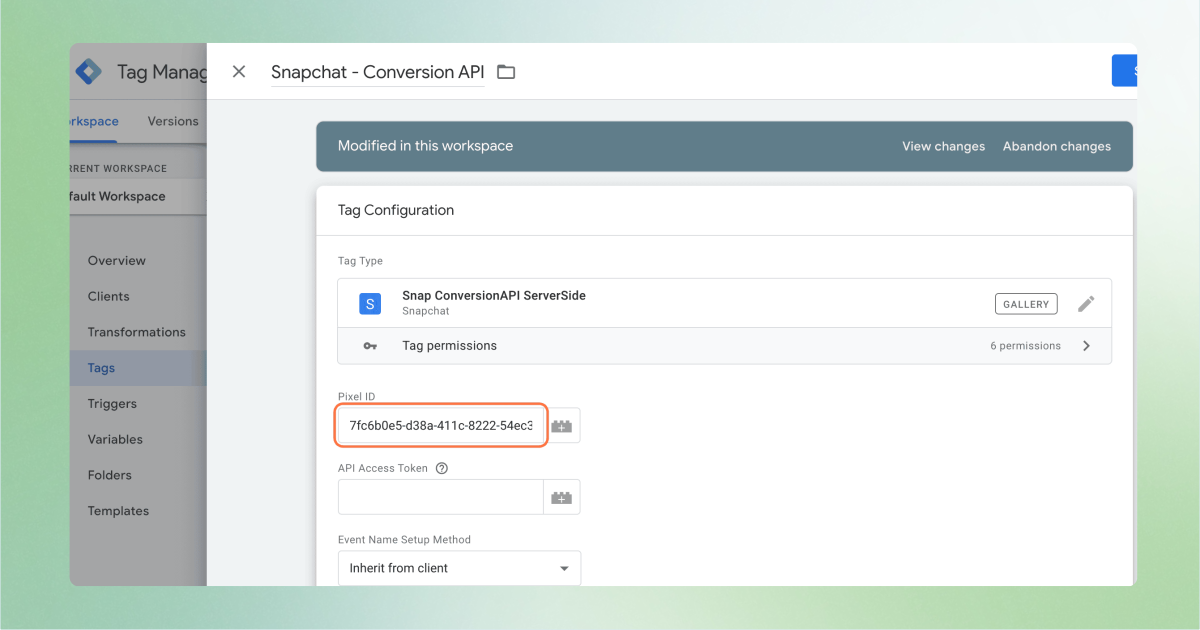
2. Go to the Community Template Gallery and search for the Snapchat Conversion API ServerSide template.

3. Add your Snap Pixel ID under Pixel ID, which you can find in the Snapchat Business Manager.
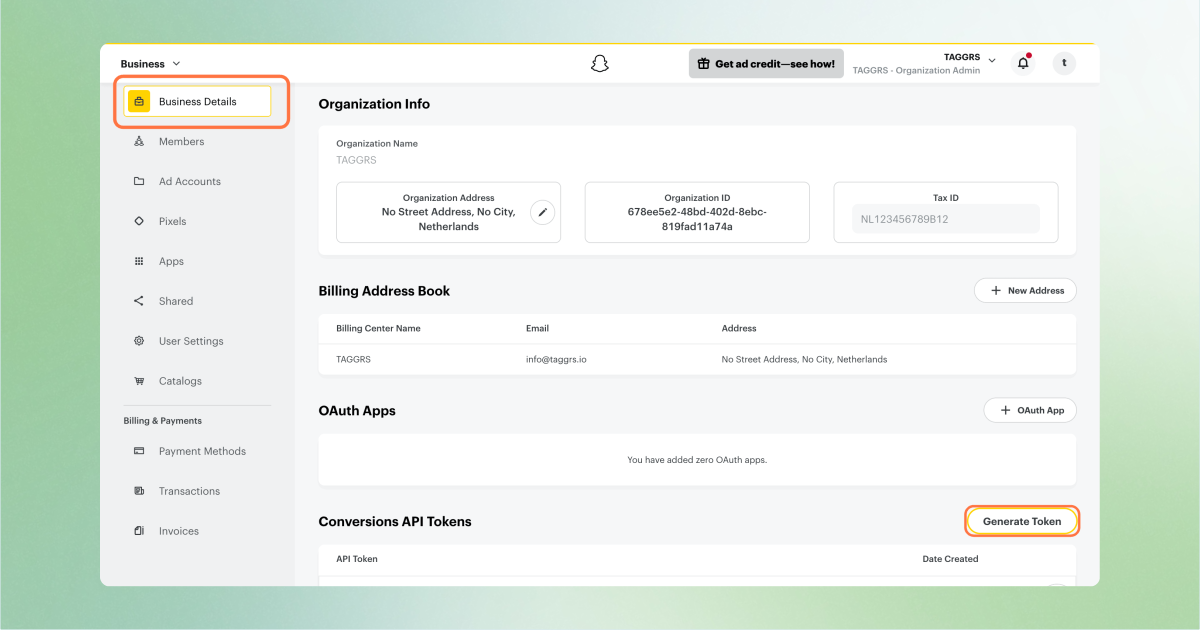
4. Go to Snapchat Business Manager → Business Details and scroll to Conversions API Tokens.
5. Click on Generate Token to generate your API access token. Add this token under API Access Token.
6. Once the tag is set up, choose the trigger: the moment when the tag fires. To forward all GA4 events to Snapchat, select the GA4 client trigger.
Haven't set up this trigger yet? Check out this manual.
Want to use a custom event? Go to Triggers, choose Custom Event and enter the name of the event you want to measure (make sure this is sent to the server container as a GA4 event). Save the trigger and add it to the Snapchat Conversions API. Click on Save and the Snapchat Conversion API (CAPI) is set up.
• Always send unique event_id values for deduplication.
• Hash user identifiers for privacy compliance.
• Monitor Snapchat Events Manager for diagnostics and troubleshooting.