

Logo of TAGGRS, written in blue and with a small favicon
HomeServer-side TrackingMeta CAPI GatewayJoin the competition
SERVER-SIDE TRACKING
Get started
Get started with TAGGRSSet up Google Tag ManagerAdd the GTM Data LayerConfigure GTM transformationsTest the setupDebuggingAnalytics dashboard
Migrate from Google CloudMigrate from hosting
Shortcuts
GTM Copy PasteReady-made templates
GA4 Server-side Tracking
Setup in GTMCreate GA4 Event TagsGA4 tag setup in server containerE-commerce events in GTM
Google Ads Server-side Tracking
Install Conversion LinkerSet up Conversion TrackingConfigure Enhanced ConversionsDeploy Remarketing Tags
Facebook Server-side Tracking
Set Meta PixelImprove your EMQ ScoreInstall Meta CAPIMeta Events Deduplication
LinkedIn Server-side Tracking
Install LinkedIn Insight TagSet up LinkedIn CAPILinkedIn Events Deduplication
TikTok Server-side Tracking
Set up TikTok PixelInstall TikTok Events APITikTok Events Deduplication
Pinterest Server-side Tracking
Set up Pinterest TagConfigure Pinterest Conversions APIPinterest Events Deduplication
Snapchat Server-side Tracking
Set up Snap PixelSnapchat Conversions APISnapchat Events Deduplication
TAGGRS Tracking Tags and Tools
Tracking TagsGoogle Service Account integrationsGTM LogsProfit TrackingData Enricher ToolWebhooks TesterEnhanced Tracking ScriptMulti Domain ToolClick ID RecoveryConsent Tool
Configurations
Billy Grace Server-side TrackingLeadPages Server-side TrackingPiwik PRO Server-side TrackingCDN Server-side TrackingShopify Server-side TrackingActiveCampaign Server-side TrackingKlaviyo Server-side TrackingSpectacle Server-side TrackingEulerian Server-side Tracking
Server-side Tracking for e-commerce
Shopify Data LayerShopware Data LayerMagento Data LayerWooCommerce Data LayerPrestashop Data LayerLightspeed Data Layer
Consent Management server-side
Activate Consent ModeConfigure AxeptioConfigure Cookie Confirm
META CAPI GATEWAY
ACCOUNT SETTINGS
User roles and access

User roles and access management

TAGGRS offers flexible user access management, allowing you to control who has access to which products and what actions they’re allowed to perform. This setup is designed for agencies managing multiple clients, teams working with freelancers or external partners, and growing organizations that need clarity, security, and scalability.
As your organization and your projects grow, managing access becomes increasingly important and complex.
TAGGRS user roles and access management help you:
  • Limit access to specific products
  • Assign permissions based on responsibility
  • Protect billing and feature configurations
  • Collaborate safely with external users

Access levels

Organization-level access

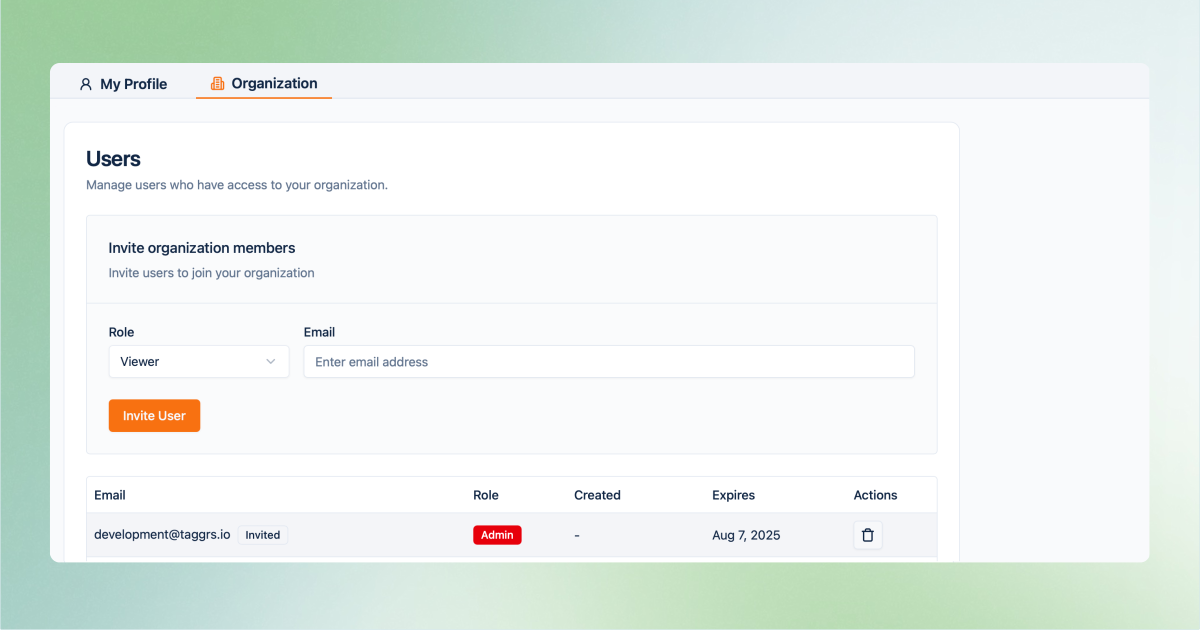
Organization-level access in the TAGGRS platform gives you full visibility to every product within the organization

Users added at the organization level automatically gain access to all products within that organization.
This access level is recommended for users who need full visibility across all projects, like:
  • Internal team members
  • Employees managing multiple products
  • Organization administrators

Product-level access

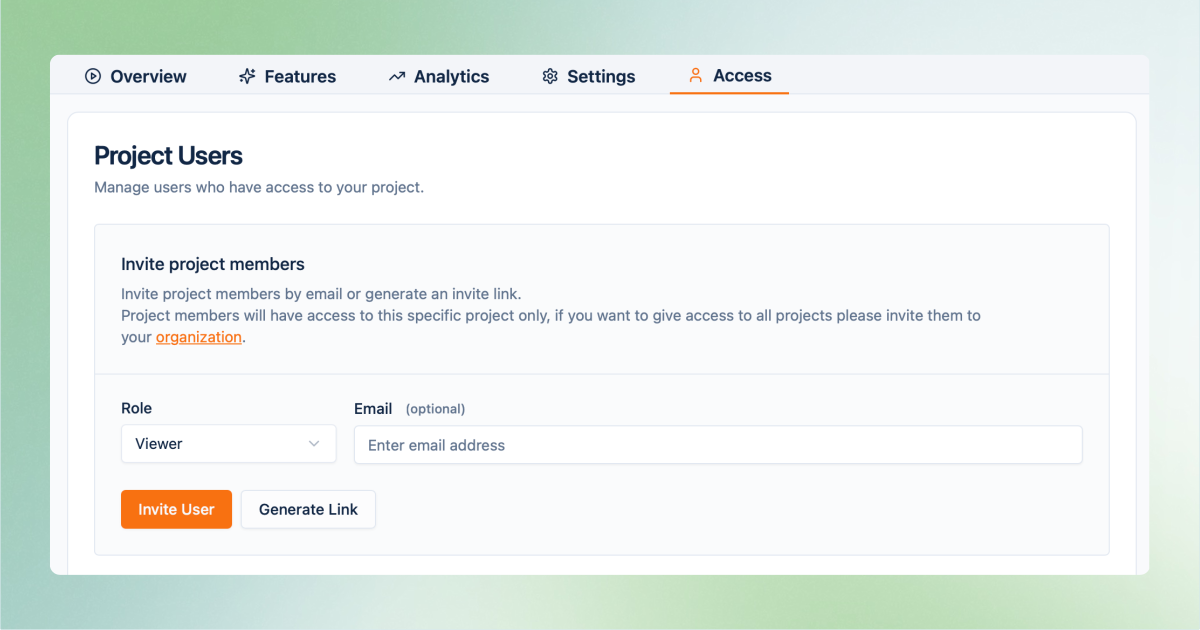
Project-level access in the TAGGRS platform gives you visibility of a single product

Users added at the product level only have access to a single product.
This access is ideal for:
  • Freelancers and contractors
  • External developers or marketers
  • Clients with access to their own product

User roles and permissions

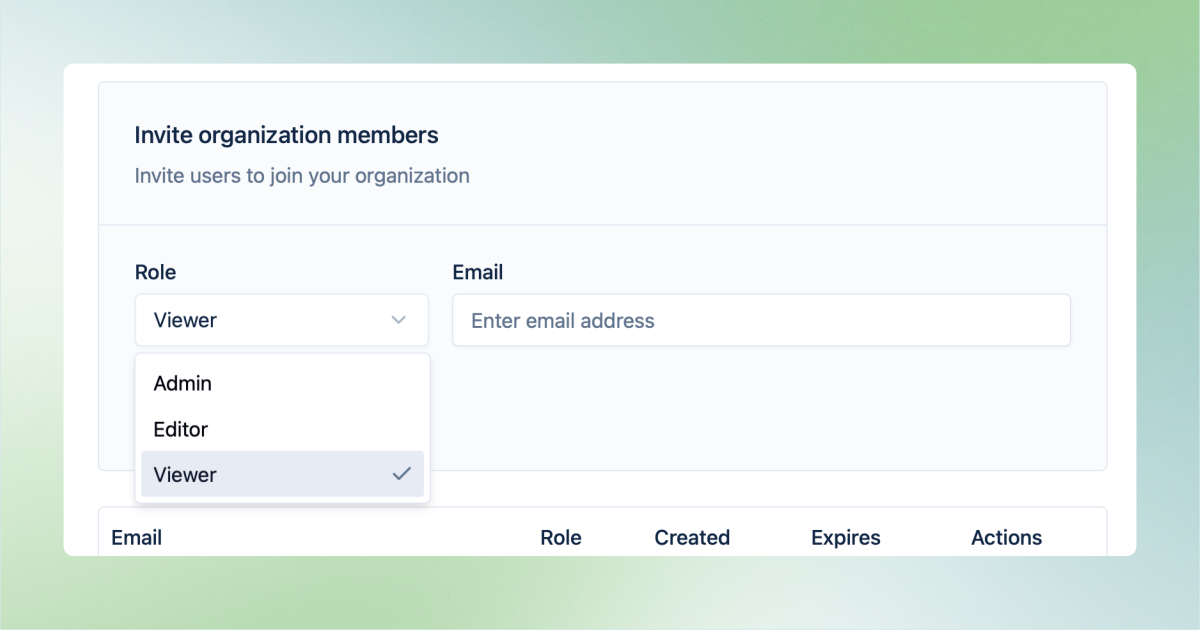
The role-based user management in TAGGRS allows you to choose between viewer, editor, and admin permissions for better security and scalability

Both at the organization and product-level, each user is assigned a role that determines their permissions. Roles define what actions a user can perform in the platform.

In general, there are three roles:

  • Viewer with read-only access
  • Editor allowed to active configuration without aministratie control
  • Admin with full access and control.

Permissions slightly change depending on whether the user's access is at the organizational or product level. Below is the breakdown.
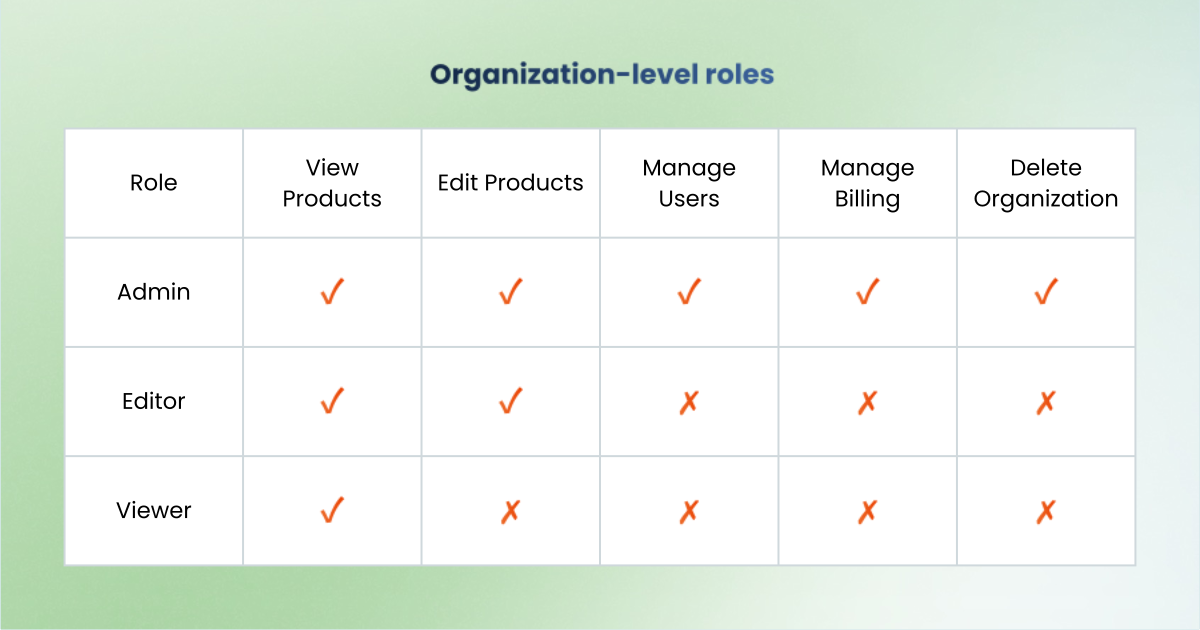
Organization level

Role and permission matrix of the organisation-level access in the TAGGRS software

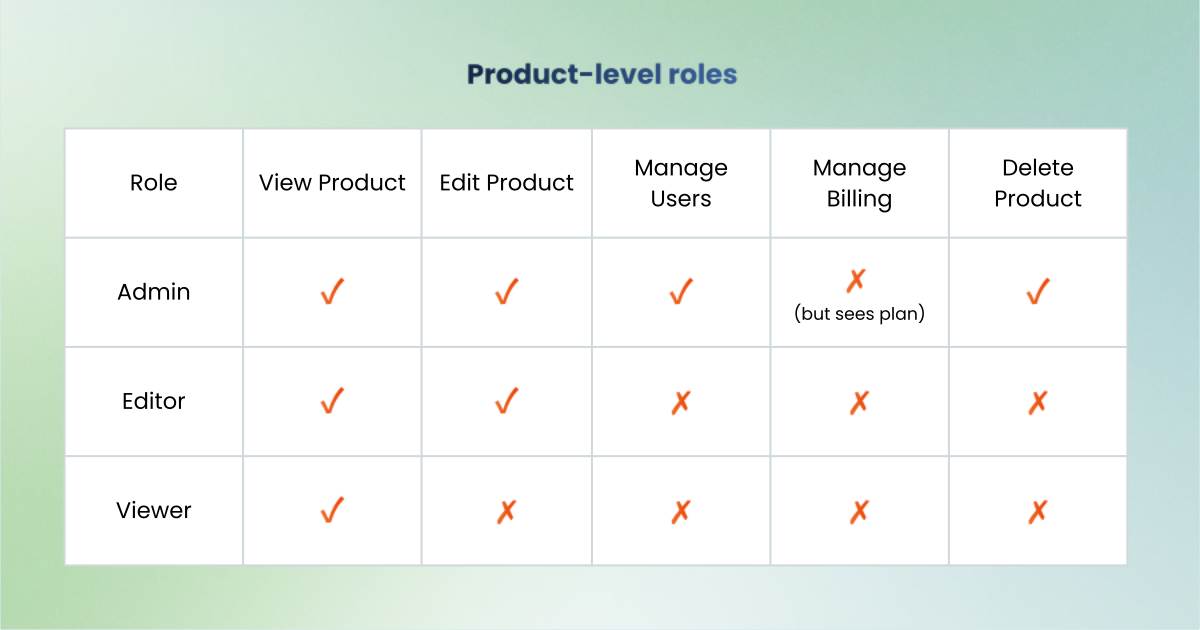
Product level

Role and permission matrix of the product-level access in the TAGGRS software

Inviting users

TAGGRS offers 2 user invitation methods to support different security and workflow needs:
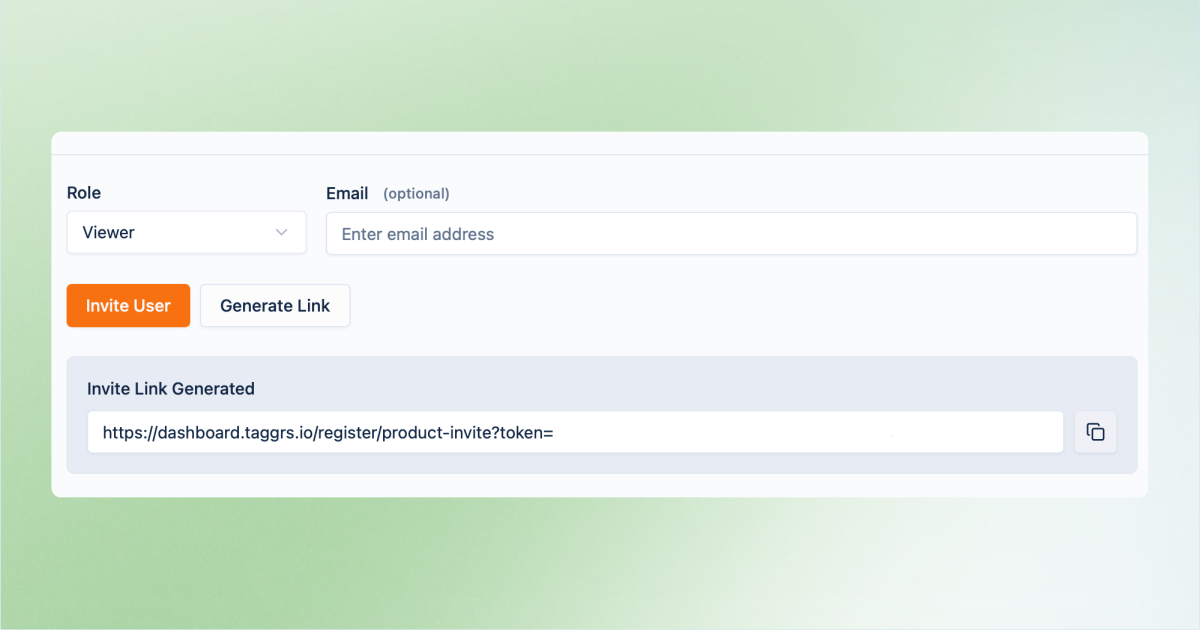
1. Invite users via link

Via link you can invite any user to your TAGGRS account, with any email

You can generate an invitation link that allows users to accept the invite using any email address. This method is useful when:

  • You need fast onboarding
  • Email addresses are not yet known
  • You collaborate with external partners

2. Invite users via email address

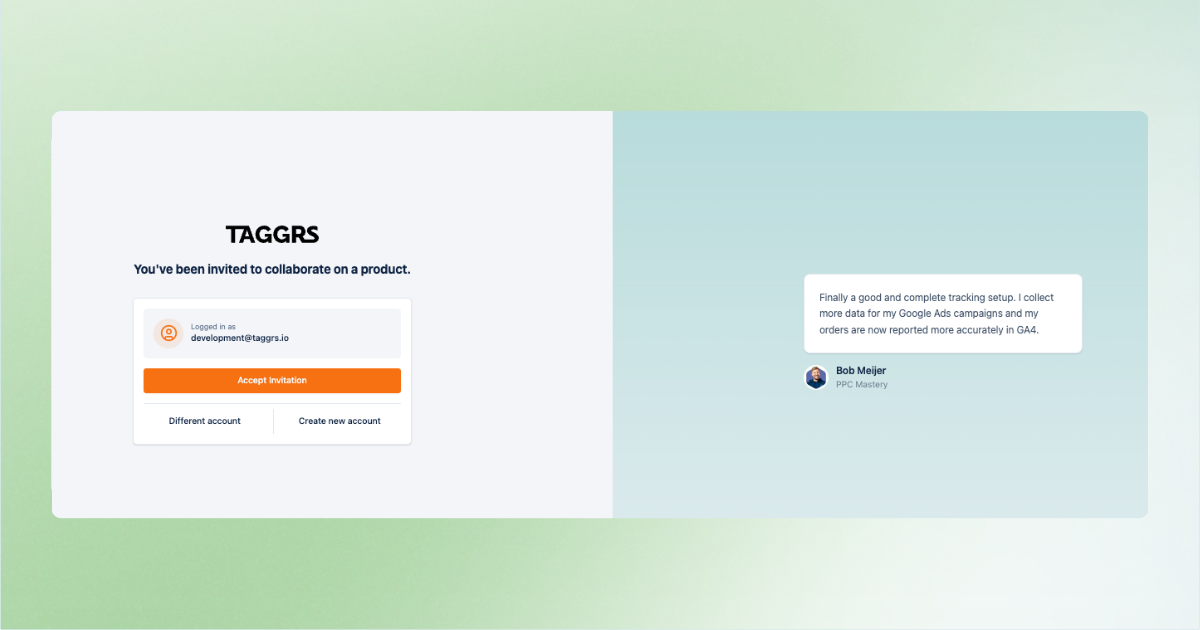
You can also invite users using a specific email address. The invitation can only be accepted with that exact email. This method is recommended when:
  • You require stricter access control
  • You work with corporate or fixed email addresses
  • Security policies demand identity validation
invitation to the TAGGRS platform

Useful resources

icon of a white thunder used by TAGGRS to visually introduce Server-side Tracking
Start for free with Server-side Tracking
icon of a white upward arrow
White silhouette of a person used as icon for the support call to action
Get expert support
icon of a white upward arrow
Previous
Consent Mode Management
DOCUMENTATION V1.4
Copyright © 2026 TAGGRS. All right reserved.
TABLE OF CONTENTS
Organization and product-level accessUser roles and permissionsInviting usersUseful resources